


Leaderboard
-
Norman Ng
Members2Points42Posts -
Huey Miin Kor
Members2Points21Posts -
Shanny
Members1Points7Posts


Popular Content
Showing content with the highest reputation on 08/02/19 in Posts
-
My flight sim console is the centerpiece of my gaming space ? The components are made up of bits and bobs I have collected over the years. The table space is pretty much taken up as you can see, so I have installed the mouse and game pad platform from Obutto to play regular first person shooters or strategy games. And yes the seat is installed on a custom made platform that I cobbled together from IKEA stuff, and it included a side console on the left for my throttle quadrant and such. Draped over the seat is a vibrating cushion for haptic feedback from some flight sims so you can actually feel vibrations from touch downs and such. And of course the VR headset for immersion - very important! The seat can be uncomfortable for long gaming sessions so I’m looking into how to improve it lol. yes I bought a ship on Star Citizen also but not sure if it will see the light of day. The optimization is pretty bad at this point too. I have other games to keep me occupied I’m not really familiar with your avatar so i suspect we play different genres of games haha.
 2 points
-
2 points
-
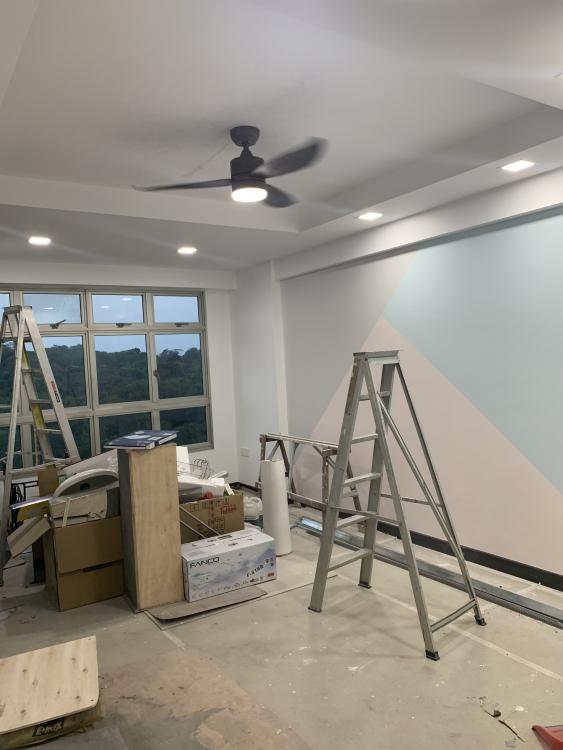
1 pointMorning, been "stalking" this post when found it last year. finally gotten keys to my 2-room flat (eastlink II, 38sqm) and have done a simple renovation. Thanks Mmoh for creating the post and keeping it alive. just to share what i have done.
 1 point

This leaderboard is set to Singapore/GMT+08:00